Opens in any browser  ·  Your files, on disk  ·  No cloud

The Markdown editor
that opens in any browser

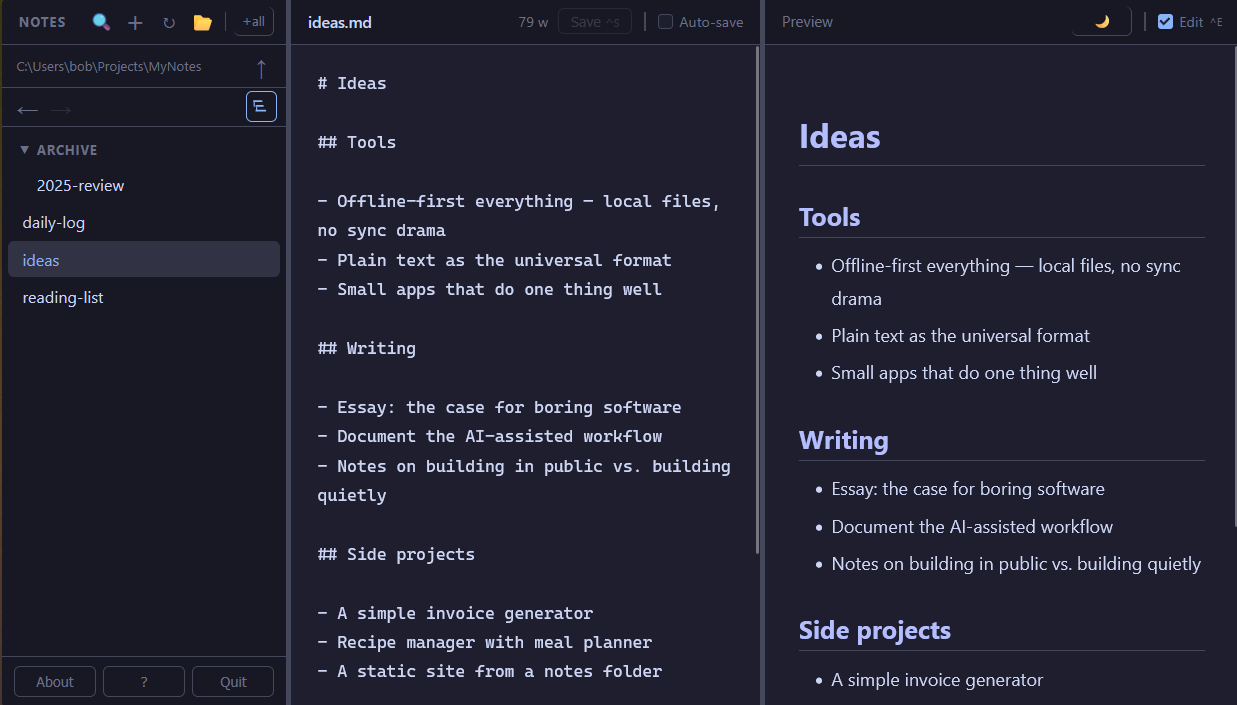
No cloud. No account. No Electron. Opens in any browser — Firefox, Chrome, Safari, Zen — and reads and writes your .md files directly on your machine. A natural fit for AI workflows: point it at your prompts, context files, or agent instructions. All yours, all offline.

Download OwnMark
Free for personal use  ·  ~50 MB  ·  No installer  ·  Double-click and go
OwnMark — localhost:3000
Notes 🔍 ↻ 📂
▼ projects
daily-log.md
ideas.md
▶ archive
recipes.md
todo.md
projects/daily-log.md Save ^S
# Daily Log
## 2026-05-25
- Ship the drag-drop feature
- Update the website
## See also
[ideas](ideas)
[recipes](recipes)
🌙   ✅   Edit ^E

Daily Log

2026-05-25

• Ship the drag-drop feature
• Update the website

See also

ideas
recipes

Why OwnMark?

📄

It's just files

Your notes are plain .md files in a folder you choose. Open them in any editor. Back them up however you like. No export step, no lock-in. Unlike browser-based editors that save to browser storage — gone the moment you clear your cache — OwnMark writes to your actual filesystem.

🤖

Built for AI workflows

Claude Code, Cursor, Aider, and most AI tools speak Markdown. Point OwnMark at the same folder your AI uses — prompts, context files, agent instructions — and you have a fast, searchable editor for everything your AI reads and writes. Offline. Private. No copy-paste required.

No installation ceremony

Download one file (~50 MB). Double-click it. No installer, no runtime to manage, no Node.js required. It just starts. Apps that bundle their own browser runtime weigh 150–200 MB — OwnMark is a fraction of that.

🌐

Your browser, any browser

Not Electron. Not a bundled WebView. Firefox, Chrome, Arc, Vivaldi, Zen, Safari — whichever you run, OwnMark opens in it, with your extensions, your zoom, your bookmarks. There is no other local-first notes app that does this.

🔌

Works offline

No internet connection required — not even to start. All assets are bundled. Your notes stay on your machine.

🔧

Scriptable API

Because OwnMark runs a real local server, there's a REST API right there. Automate it, integrate it, inspect it with curl.

The honest comparison

We're not trying to be Obsidian. Here's what we are.

OwnMark Obsidian Notion Dillinger †
Runs in your own browser
Direct file system access
Your files, plain text
No account required
No internet required
Scriptable REST API paid
Executable size ~50 MB ~300 MB web app web app
Plugin ecosystem large

If you want a plugin ecosystem and a graph view, use Obsidian — it's excellent. OwnMark is for people who want something small, immediate, and out of the way.

† Dillinger stores notes in browser storage rather than as files on your machine. Access to your local file system requires import/export.

Everything you need

Nothing you don't.

Write and edit .md and .txt notes
Live Markdown preview alongside the editor
Full-text and filename search, with highlights in preview
Use any folder on your machine as your notes folder
Relative Markdown links between notes
Rename, delete, and create notes from the sidebar
Resizable layout — 3-pane edit or 2-pane preview
Auto-save while you type, or save manually with Ctrl+S
Back and forward history across notes and folders
Drag images or notes into the editor to insert them
Three themes — light, dark, and sepia
All settings and layout remembered between sessions
Tree view or flat list for focus — match how you're working
Local images render inline — standard Markdown syntax

How it works

1

Download

One .exe file. No installer, no dependencies.

2

Double-click

A small local server starts and your browser opens automatically.

3

Point it at your notes

Choose any folder on your machine. OwnMark reads and writes files there directly.

4

Write

Your notes are plain .md files. They were always yours.

🛫
Companion app

Write here. Publish there.

OwnShip is a single PHP file you drop on any shared host. Point it at the same folder of .md files — it serves them publicly, read-only, with navigation and the same three themes. No database, no CMS, no framework. Write in OwnMark, upload when ready.

Learn about OwnShip →

Download OwnMark

Free for personal use. No installer — download and double-click.

Windows
Download .exe
v0.9.8  ·  Windows 10/11, 64-bit
~43 MB
macOS
Download for Apple Silicon
v0.9.8  ·  macOS 12+, M1/M2/M3
Also: Intel Mac  ·  ~57 MB
Linux
Download binary
v0.9.8  ·  x86-64
~55 MB  ·  Debian/Ubuntu tested
Windows: SmartScreen may warn on first run — click More infoRun anyway. OwnMark does not connect to the internet and does not touch anything outside your notes folder.

macOS (Apple Silicon): xattr -d com.apple.quarantine OwnMark-arm64 && chmod +x OwnMark-arm64
macOS (Intel): xattr -d com.apple.quarantine OwnMark-x64 && chmod +x OwnMark-x64

Linux: Make executable before running: chmod +x OwnMark-linux && ./OwnMark-linux